|
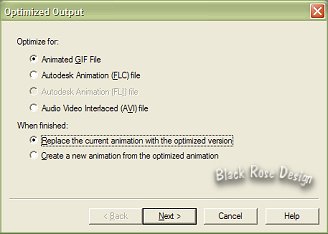
Animated GIF File Checked Replace The Current Animation With The Optimized Version Checked Next 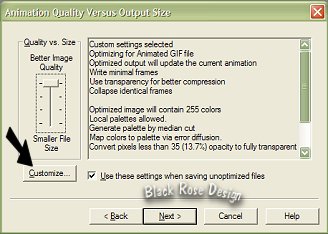
Now Go to Customize Next 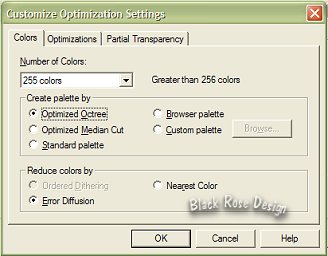
On The Colors Tab.. 255 Colors Optimized Octree Checked Error Diffusion Checked 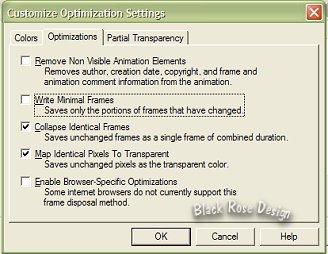
Optimazations Tab.. Collapse Identical Frame Checked Map Identical Pixels To Transparent Checked 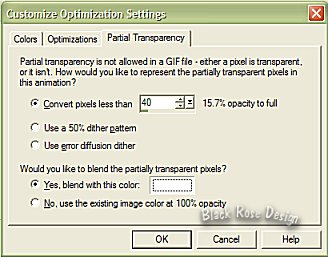
Partial Transparency Tab.. Convert Pixels Less Than 40 Yes Blend With This Color Checked,Make Sure The Color Is White (#FFFFFF) Ok,Next,Next,Next,Finish File Save As ButterflySparkleTag.gif If You Would Like To view Your Animation Click On The View Animation 
That's It All Done!! Isn't It Pretty *Smile* I Hope You Enjoyed This Tutorial Back To Tutorials... Back To Main Menu... Tutorial Written Dec. 12, 2002 Copyright © Black Rose Designs |